Mail merge in Gmail
A mail merge in Gmail sends each person on a list their own email from your Gmail address. Gmail has a mail merge of its own on some paid Google Workspace plans; free Gmail needs an add-on or an app. DearByDear sends from any Gmail or Google Workspace account, with each person’s own details and attachment, within Google’s daily limits.
Free Gmail and Google Workspace · Connected with an app password · Free up to 50 people a merge
Olivia Bennett
yourname@gmail.com
James Walker
james.walker@example.com
Gmail’s own mail merge
Google added a mail merge to Gmail for some paid Google Workspace plans: Workspace Individual, Business Standard and Plus, Enterprise Standard and Plus, and Education Standard and Plus. Free Gmail accounts don’t have it. These are its terms, from Google’s help page:
Merge tags such as @firstname and @lastname, or any column of a Google Sheet, and each person gets their own copy. Up to 1,500 people a day.
Dear @firstname,An unsubscribe link at the bottom of every email, whether the email is a newsletter or a note to a client.
Always onNo merge tags in the subject, no text that changes by rule, the same attachments for everyone, and no scheduled send.
Same files · no rules · no scheduleWithout Workspace, people use a mail merge add-on for Google Sheets or Gmail, which sends through your account with the permissions you give it, or an app that sends from your mailbox, like DearByDear.
Mail merge from Gmail, one person at a time
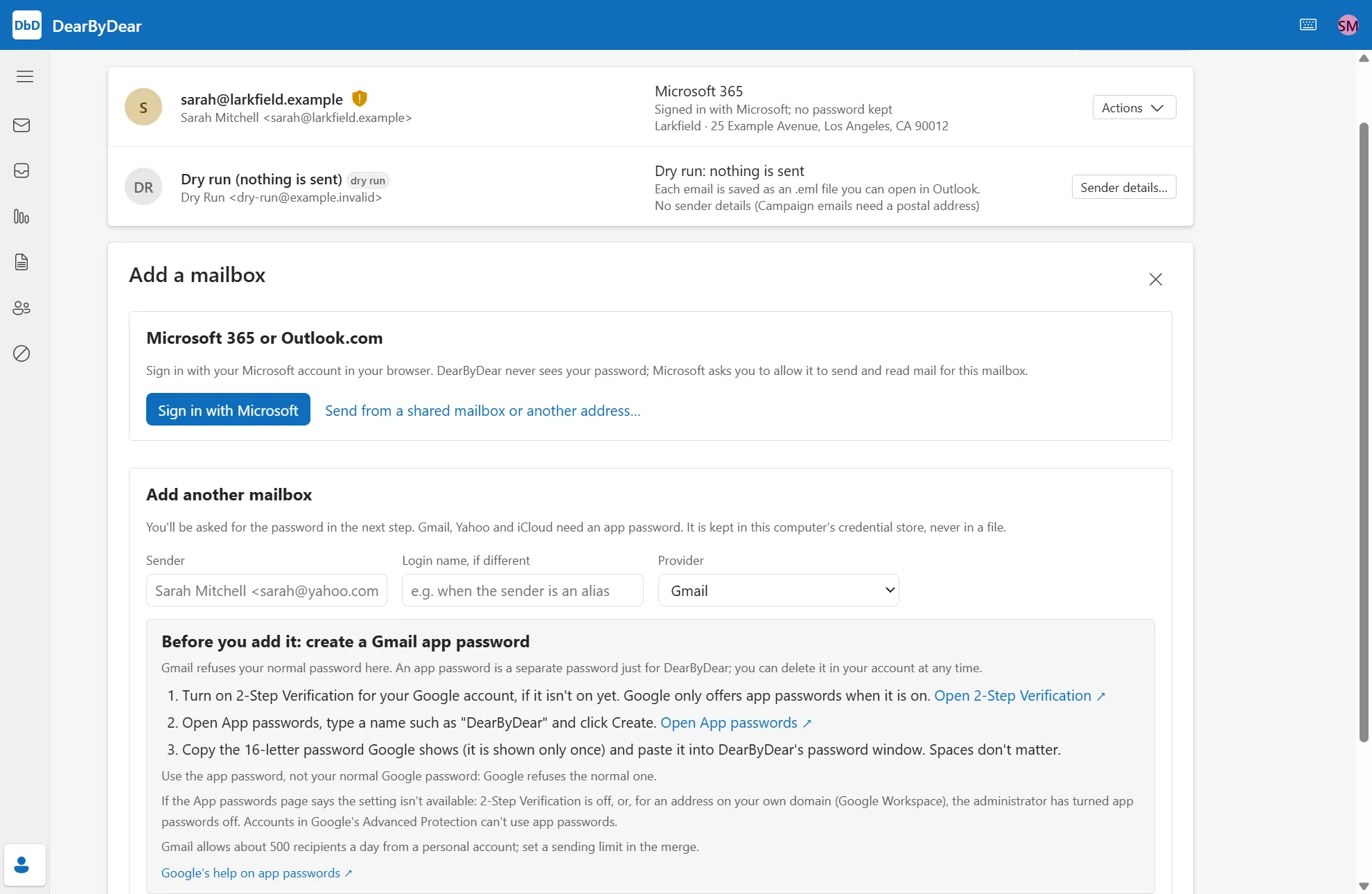
- STOP 1Connect GmailWith an app password, made in your Google account once 2-Step Verification is on. DearByDear shows each step, with buttons to Google’s pages.
- STOP 2Choose the peopleA Google Sheet by its link, read again before each merge, an Excel or CSV file, your Google Contacts, everyone or one label, or everyone who emailed you about something.
- STOP 3Write it, or start in GmailWrite in DearByDear, or start from a draft in your Gmail Drafts. Fields in the subject too, text by rule, and each person’s own file.
- DELIVEREDSent from GmailWithin Google’s daily limit, over several days if the list is long, with a copy in your Sent folder. Or first as drafts in Gmail, to read before they go.
Gmail mail merge, compared
| What it does | Gmail’s own mail merge | DearByDear |
|---|---|---|
| Free Gmail accounts | No, some Workspace plans only | Yes |
| A list from a Google Sheet | Yes | Yes, read again before each merge |
| Each person’s details in the subject | No | Yes |
| Text that changes by rule | No | Yes |
| Each person’s own attachment | No, the same for all | Yes |
| A start time you choose | No | Yes |
| An unsubscribe link | Always added | In Campaign merges; Personal ones look like your own email |
| Replies, bounces and unsubscribes sorted | No | Yes, for 30 days |
| A list longer than a day’s limit | Up to 1,500 a day | Spread over several days |
Gmail’s limits, in full: Gmail sending limits and attachment size.
Questions about Gmail
Do I need Google Workspace?
No. DearByDear sends from a free Gmail account as well as from Google Workspace. Gmail’s own mail merge is the one that needs certain Workspace plans.
How does DearByDear connect to Gmail?
With an app password: a code Google makes for apps that send and read your mail, once 2-Step Verification is on. DearByDear shows each step and keeps the password in Windows’ credential store. See how to make a Gmail app password.
Can I use a Google Workspace account?
Yes, if it can make app passwords. Google says some work and school accounts can’t, depending on their administrator. Then ask the administrator to allow them.
Is a list in Google Sheets kept private?
DearByDear reads a Google Sheet by its link, which works when the sheet is shared as “Anyone with the link,” so anyone who has the link can open it. For a list that must stay private, download it as Excel or CSV and use the file instead. More on a mail merge from Google Sheets.
Can I make a list from the people in my Gmail?
Yes. From my mailbox… reads the labels you choose, between two dates, and makes a list of the people with their names: everyone who wrote to you about an order, say. Your saved contacts work too: export them from Google Contacts as Google CSV and choose From Google Contacts…, for everyone or one label. See how to extract email addresses from Gmail.
How many emails can I send a day from Gmail?
About 500 from a free Gmail account and 2,000 from Google Workspace. DearByDear stays a little under, and spreads a longer list over several days.
Can I send a large attachment to everyone from Gmail?
Yes, though Gmail limits what goes up through its servers to 300 MB an hour and 1,500 MB a day, attachments included: a 5 MB file to 300 people is a whole day’s worth. DearByDear keeps a merge under it, so it takes longer, and Check and send says how long. A link to the file instead goes out sooner.
Will my emails look like a newsletter?
Not unless you want them to. A Personal merge looks like an ordinary email from you, with no unsubscribe footer. A Campaign merge adds one, for newsletters and offers.