How to send event invitations by email
Write the invitation once, with the event’s details, and send it from your own mailbox to your guest list, each guest in an email of their own, by name. Guests answer by replying, and DearByDear can send a follow-up to those who haven’t replied a few days later. Start from the gallery’s event invitation email, or write your own. Add Calendar event… and it carries each guest’s own event too. It is an email invitation, not an Outlook meeting request.
A guest list · the gallery’s invitation · your own mailbox
What you need
Your guests as a spreadsheet, or a list made from your Outlook contacts or from people who emailed you. A first name for the greeting and an email are enough.
| First Name | Last Name | Company | |
|---|---|---|---|
| Emily | Carter | emily.carter@example.com | Carter Design |
| James | Walker | james.walker@example.com | Walker Logistics |
| Olivia | Bennett | olivia.bennett@example.com | Bennett Studio |
Step by step
- Bring in the guest list
New merge, then Who gets it?: a spreadsheet, your Outlook contacts, or people who emailed you.
- Your mailbox
From which account?: the mailbox your guests know, as a Personal email.
- Choose when
When does it go out?: Right away, or Later, at a date and time, so it arrives on a weekday morning.
- Start from the invitation
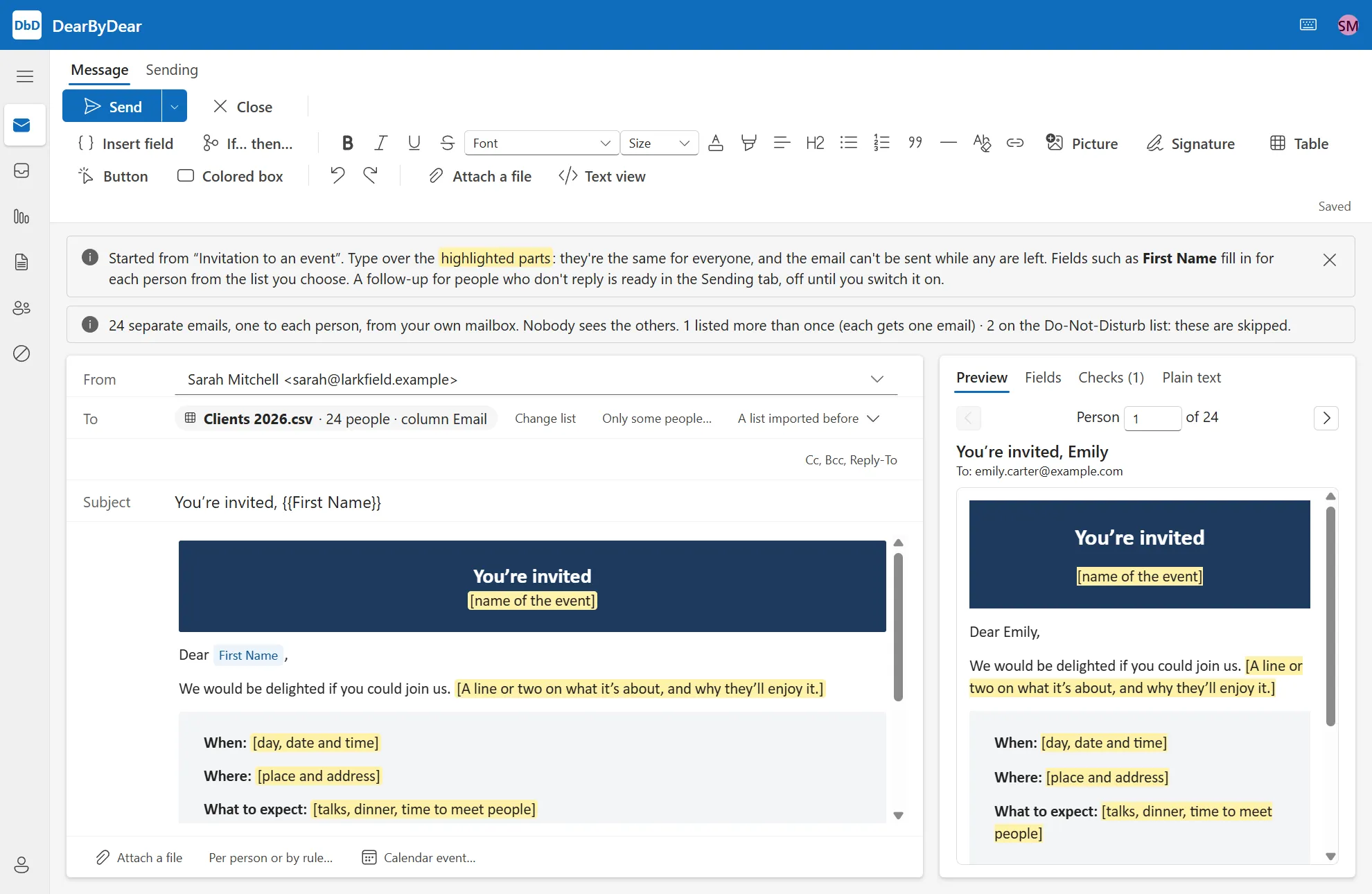
The email: Start from a template…, then Invitation to an event. Type over the highlighted parts, the event, the date, the place and the reply-by date, and give See the program its link: the merge won’t go while one is left. Add Calendar event…, beside Attach a file, for an event to add to each guest’s calendar: a title, starts, ends, where and notes, each with Insert field.
- Switch on the reminder
On the Sending tab, Follow up with people who don’t reply is ready with the invitation’s own reminder, 5 days later, and off until you switch it on.
- Check, then send
Check and send: Preview each email shows each guest’s invitation by name, and Send a test to myself shows it in your own inbox. Confirm, and send.
The email
You’re invited [name of the event] |
Dear First Name,
We would be delighted if you could join us. [A line or two on what it’s about, and why they’ll enjoy it.]
When: [day, date and time] Where: [place and address] What to expect: [talks, dinner, time to meet people] |
Places are limited, so please reply to this email by [a date] to let us know you’re coming. If you’d like to bring someone, just say so in your reply.
| See the program |
We hope to see you there,
[your name]
First Name from each person’s row in your list · [highlighted] typed once, the same for everyone
Its reminder comes with it: a short note, 5 days later, as a reply to the invitation, to those who haven’t answered.
Good to know
- Add Calendar event…, beside Attach a file, and the invitation carries each guest’s own event to add to their calendar. It’s still not a meeting request, so guests say they’re coming by replying, not by accepting an event. For a meeting in Outlook’s calendar with RSVPs Outlook tracks itself, Outlook’s own invitation is still the tool.
- Replies land in your mailbox and in Responses, each beside the invitation that person was sent, so you can see who’s coming.
- A long guest list goes out at your mailbox’s pace, within its daily limit; the When step shows when the last invitation will go.
Questions about event invitations
How do I send an event invitation by email in Outlook?
DearByDear sends it from your Microsoft 365 or Outlook.com mailbox, so each invitation leaves from your address and sits in your Sent folder. Word and Outlook’s own mail merge aren’t needed.
Can I send it from Gmail?
Yes, from a free Gmail or Google Workspace account. A free Gmail account sends about 500 emails a day, so a long guest list may go over two days.
How do I remind guests who haven’t replied?
Switch on the follow-up that comes with the invitation: 5 days after each person’s email, it goes as a reply to everyone who hasn’t answered.
Can I send a reminder the day before?
Yes, as a second merge to the guests who said yes, from the gallery’s event reminder email: when, where, how to get there, and what to bring.
Can it go out on a set day and time?
Yes: at When does it go out?, choose Later and the date and time, and the invitations start then. More in schedule a mail merge.