How to send an email to all your contacts in Gmail
Google’s own way is a label: put the contacts under one label in Google Contacts, type its name in To, and they all get the same email, every address on it. To send each contact an email of their own, by name, export your contacts and send from your Gmail with DearByDear. It’s a mail merge in Gmail that reads Google’s file as it is, for everyone or one label.
Google Contacts · everyone or one label · your own Gmail
What you need
The file Google Contacts exports, as Google CSV. DearByDear keeps the columns an email needs, these among them, one row for each contact with an email address.
| First Name | Last Name | Company | Labels | |
|---|---|---|---|---|
| Emily | Carter | emily.carter@example.com | Carter Design | Clients |
| James | Walker | james.walker@example.com | Walker Logistics | Clients; Newsletter |
| Olivia | Bennett | olivia.bennett@example.com | Bennett Studio | Clients |
Step by step
- Export from Google Contacts
In Google Contacts, tick the contacts, or one of them and then Selection Actions and All. Then More actions, Export, Google CSV and Export. Click a label first to export only its contacts.
- Make the list
Mailing lists, then From Google Contacts… and Choose the exported file…. If your contacts have labels, choose Everyone or Only the label “Clients”, then Make the list. Contacts without an email address are left out, and the note says how many.
- From your Gmail
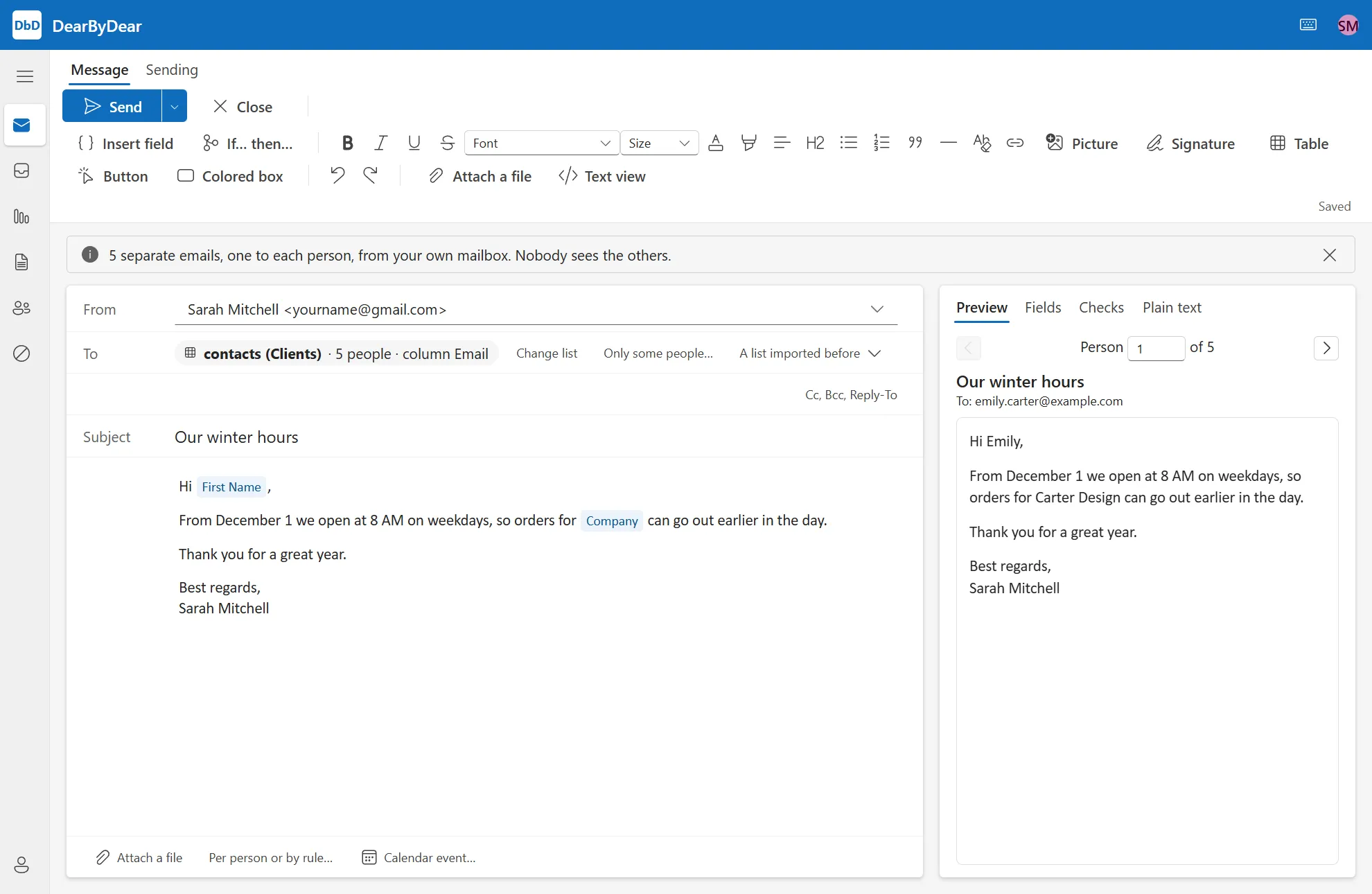
New merge, then Who gets it?: the list, named after the file and the label, such as contacts (Clients). From which account?: your Gmail.
- Write it once
Hi, then Insert field and First Name, and the rest as you’d write it to one person. Company or City from the contacts goes in the same way.
- Check, then send
Check and send: Preview each email shows each contact’s own, and Send a test to myself shows it in your inbox. Confirm, and the emails go one by one, within Gmail’s daily limit.
The email
Hi First Name,
From December 1 we open at 8 AM on weekdays, so orders for Company can go out earlier in the day.
Thank you for a great year.
Best regards,
Sarah Mitchell
First Name from each person’s row in your list
Good to know
- Google’s own way, a label in To, sends one email that everyone gets the same, with every address on it. DearByDear sends each contact an email of their own from your Gmail, so nobody sees who else got it.
- The list is a copy of your contacts on the day you export them. When they change, export again and make a new list.
- A free Gmail account sends about 500 emails a day, so a long list goes out over several days, a little under the limit; the When step shows when the last email will go.
Questions about emailing all your contacts
How do I email a group of contacts in Gmail without an app?
Put them under one label in Google Contacts: Create label, then tick the contacts, Manage labels and Apply. In Gmail, start typing the label’s name in To and choose it, and its contacts fill the line. Everyone gets the same email, with no name of their own, and Google adds only each contact’s default address.
Can I email all my contacts at once?
Give them all one label: in Google Contacts, tick one contact, then Selection Actions and All, then Manage labels. Or export them all and send with DearByDear, each contact their own email.
Will my contacts see each other’s addresses?
With Google’s label in To, yes: every address is on the one email. Each email DearByDear sends goes to one person, so nobody sees who else got it.
How many contacts can I email from Gmail?
Gmail stops an email to more than 500 recipients, and a free account sends about 500 emails a day. DearByDear sends one email per person, stays a little under the daily limit and spreads a longer list over several days.
Does DearByDear need access to my Google Contacts?
No. It reads the file you export, and nothing signs in to Google Contacts. Gmail is connected for sending with an app password; see how to make a Gmail app password.
What about Gmail’s own mail merge?
On some paid Google Workspace plans, Gmail has a mail merge that takes a label too, with tags such as @firstname, for up to 1,500 people a day. A free Gmail account doesn’t have it.
Can I email the people who write to me, too?
Yes. From my mailbox… reads the Gmail labels you choose and makes a list of everyone who wrote to you, with their names. See how to extract email addresses from Gmail.