How to email pay stubs to employees
Have your payroll program save each pay stub, or payslip, as a PDF with a password, named by employee ID, and keep a list of employees with their ID and email. DearByDear sends each employee an email of their own from your mailbox, with only their pay stub attached, as a mail merge with attachments: nobody sees anyone else’s. Protect the files with a password first.
A list with employee IDs · a protected PDF per employee · your own mailbox
What you need
One row per employee: an ID that is also in their file’s name, a first name for the greeting, and the address their pay stub goes to. Leave pay, bank details and Social Security numbers out: the email doesn’t need them.
| Employee ID | First Name | Pay Period | |
|---|---|---|---|
| E1001 | Michael | michael.turner@larkfield.example | October 2026 |
| E1002 | Jessica | jessica.brooks@larkfield.example | October 2026 |
| E1003 | Ryan | ryan.foster@larkfield.example | October 2026 |
The pay stubs your payroll program saved, one PDF each, in one folder, the employee ID in each name and a password on each:
- Pay stub E1001.pdf
- Pay stub E1002.pdf
- Pay stub E1003.pdf
Step by step
- Protect the PDFs
In your payroll program, save each pay stub with a password the employee already knows, where it offers one.
- Bring in the list
New merge, then Who gets it?: A new list, and the employees’ Excel or CSV file.
- Your mailbox, and when
From which account?: your own or payroll’s mailbox, as a Personal email. When does it go out?: Right away, Later on payday morning, or Drafts to review first.
- Write the email
The email: Write a new email. Insert field adds First Name and Pay Period; say how the PDF opens, without the password itself.
- Attach each pay stub
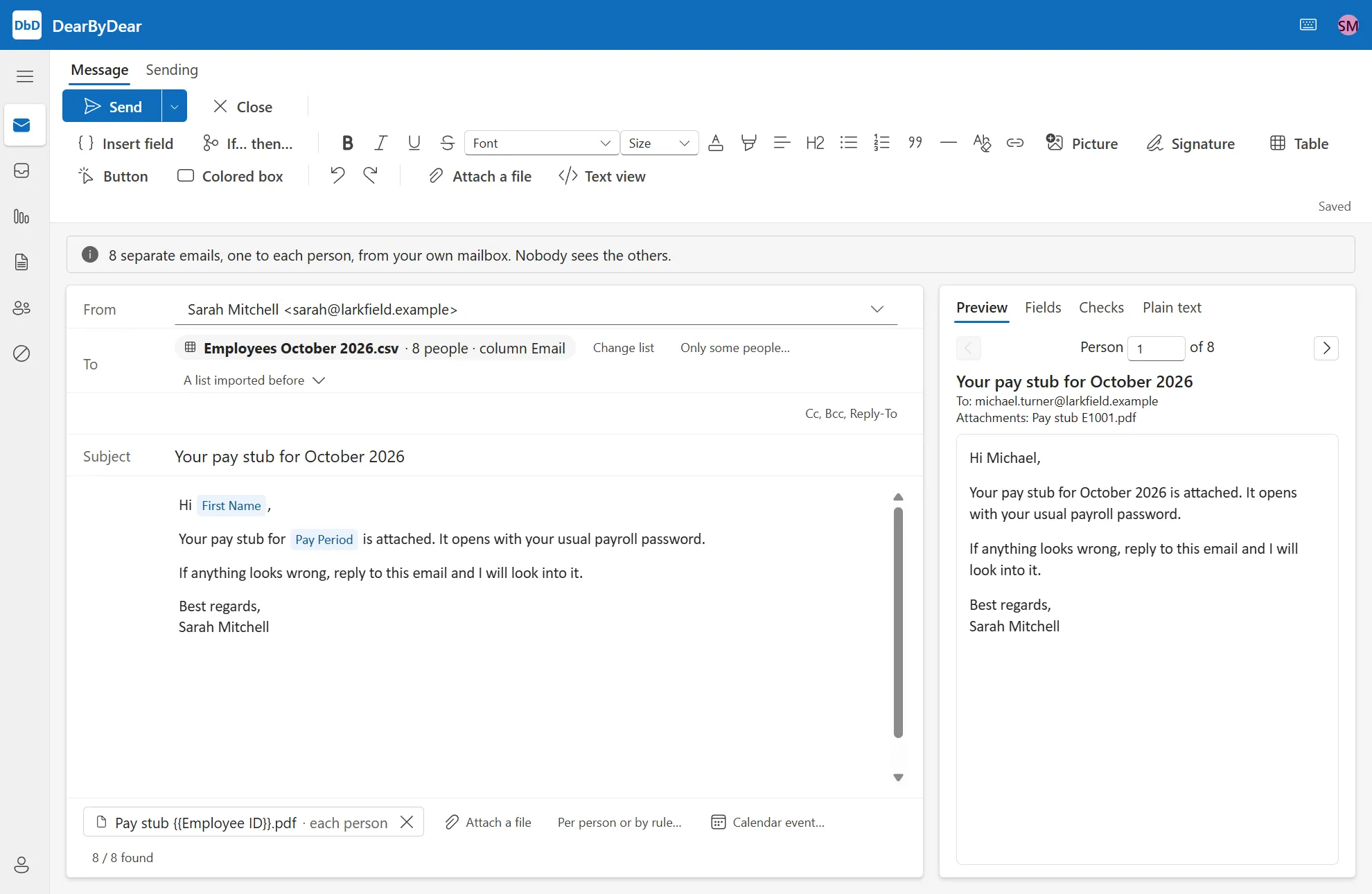
Per person or by rule…, then A file for each person. Pick one employee’s pay stub, and DearByDear works out the name for everyone: Pay stub {{Employee ID}}.pdf. Under the email, 8 / 8 found means every pay stub is there.
- Check, then send
Check and send lists anyone whose file is missing, and Preview each email shows who gets which file. Confirm, and each employee’s email goes on its own.
The email
Hi First Name,
Your pay stub for Pay Period is attached. It opens with your usual payroll password.
If anything looks wrong, reply to this email and I will look into it.
Best regards,
Sarah Mitchell
First Name from each person’s row in your list
Good to know
- An email can be forwarded or opened on a shared computer, so the PDF’s password does the protecting. Give it once, another way, never in the email that carries the file.
- A pay stub to the wrong person is the mistake to avoid: check the list’s addresses, and look through Preview each email before you confirm.
- If your payroll program emails pay stubs itself, or has a portal for employees, that may suit you better. DearByDear is for PDFs in a folder and an email that is yours to send.
- Each email leaves from your mailbox, and a copy lands in your Sent folder.
Questions about emailing pay stubs
Can you email pay stubs to employees?
Yes, each in an email of its own, to that employee only. The rules on giving pay stubs electronically differ from state to state, so check yours before you switch from paper.
Is it safe to send payslips by email?
Safe enough when the PDF has a password the employee already knows and the password never travels with it. Protect the files in your payroll program first.
Will employees see each other’s addresses?
No. Each gets an email of their own, addressed only to them, with only their file attached: individual emails to each person, never one email in Bcc.
Can I read every email before it goes?
Yes: Preview each email shows each employee’s email with its file. Or send them as drafts to review, each in your Drafts folder, and send them from there.
What if one pay stub is missing?
The count under the email says so, and Check and send names who won’t get theirs. Skip them and send the rest, or put the file in the folder first.