Mail merge to drafts
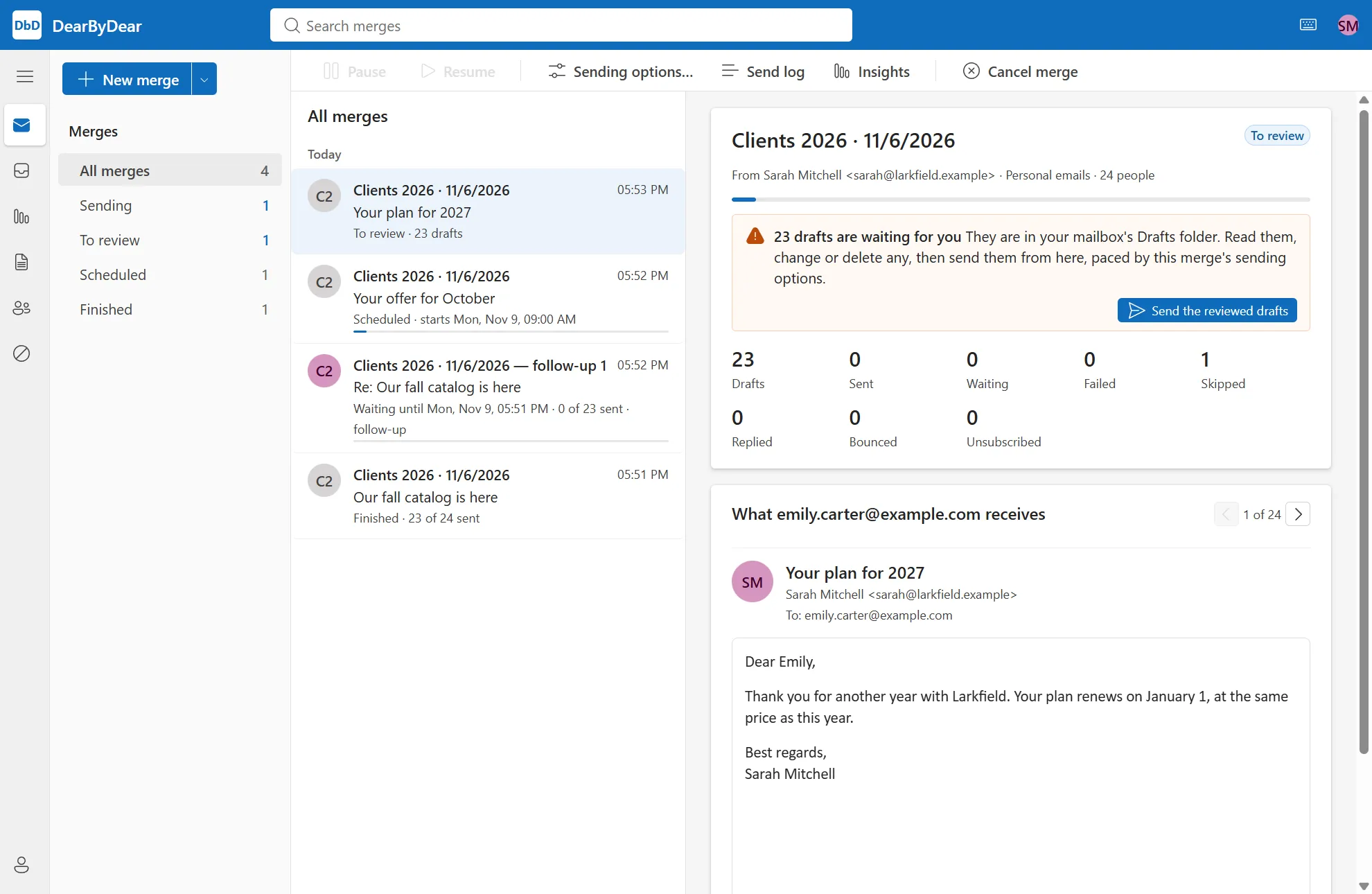
A mail merge to drafts puts each person’s email in your mailbox’s Drafts folder instead of sending it, addressed and personalized. You read them in Outlook or Gmail, change or delete any, then choose Send the reviewed drafts, and DearByDear sends them as they are, at your mailbox’s pace. It goes further than the check every merge gets, where you preview each email before sending.
Outlook · Gmail · Any IMAP mailbox · Sent as you left them · Free up to 50 people a merge
How it works
- STOP 1Tick drafts to reviewCreate drafts to review first, in the email’s Sending tab. Or, in a new merge’s steps, Drafts to review first.
- STOP 2Make the draftsThe usual check before sending, then “I have checked the preview and want these drafts made”, then Make 23 drafts, say, for 23 people.
- STOP 3Read them in your mailboxIn Outlook, Gmail or your mail program: change a sentence for one client, delete the draft of another.
- SENTSend the reviewed draftsOn the merge, under To review. Each goes as it is now in your Drafts folder, paced by the merge’s sending options.
Where people use it
The same email to everyone, with a line added by hand to the five clients who matter most, in your mail app, where you write best.
Change a few, send them allBefore trusting a new list or a new email to go by itself: see every one in your Drafts folder, exactly as it will arrive.
Read first, send afterEach person’s own email, when Claude or ChatGPT writes them for you, is made as a draft by default, for you to read before anything goes.
Reviewed as draftsWord sends. DearByDear asks you first.
In Word, Finish & Merge → Send E-mail Messages sends a message to each address on the list, as soon as you choose OK (Microsoft). With drafts to review, nothing goes until you have read the drafts in your own mailbox and chosen Send the reviewed drafts, which asks once more: “Drafts you deleted aren’t sent.”
A merge sent through your own email service, with DearByDear Pro, makes its drafts in the mailbox linked to that account, and sends them through the service as you edited them.
Questions about drafts
Can I mail merge to drafts in Outlook?
Not with Word’s mail merge: Finish & Merge → Send E-mail Messages sends a message to each address. DearByDear makes the drafts in your Microsoft 365 or Outlook.com mailbox, where Outlook, Outlook on the web and the Outlook app show them, as part of a mail merge in Outlook without Word.
Does it work with Gmail?
Yes. With an app password, the drafts go to Gmail’s Drafts folder, where you read and change them in Gmail, as in any Gmail mail merge from DearByDear. Other mailboxes over IMAP work the same way.
Are the reviewed drafts sent all at once?
No. They go at the merge’s pace, within your provider’s limits and the sending hours you chose, one email at a time, like any merge.
What if I delete a draft, or change who it’s to?
A draft you delete isn’t sent; the rest are. A draft goes to whoever it is addressed to when you send them, so a changed address counts.
Does the follow-up get a draft too?
No. A follow-up, if the merge has one, goes without a draft, at each person’s time, to those who haven’t replied. Its text is set before the drafts are made, and can be changed while the merge is paused.
Is it in the free version?
Yes. The free version has every feature, for merges of up to 50 people.
Sources
Each provider’s own pages, read on October 30, 2026. If it describes Word differently now, theirs is right.