Accounts
Accounts holds the mailboxes your merges go out from: Microsoft 365 or Outlook.com, signed in with Microsoft; Gmail, Yahoo or iCloud with an app password; any other mail server. Each has its Actions, to test it, sign in again or set the sender details a Campaign email needs. The dry run is there too, for trying a merge without sending.
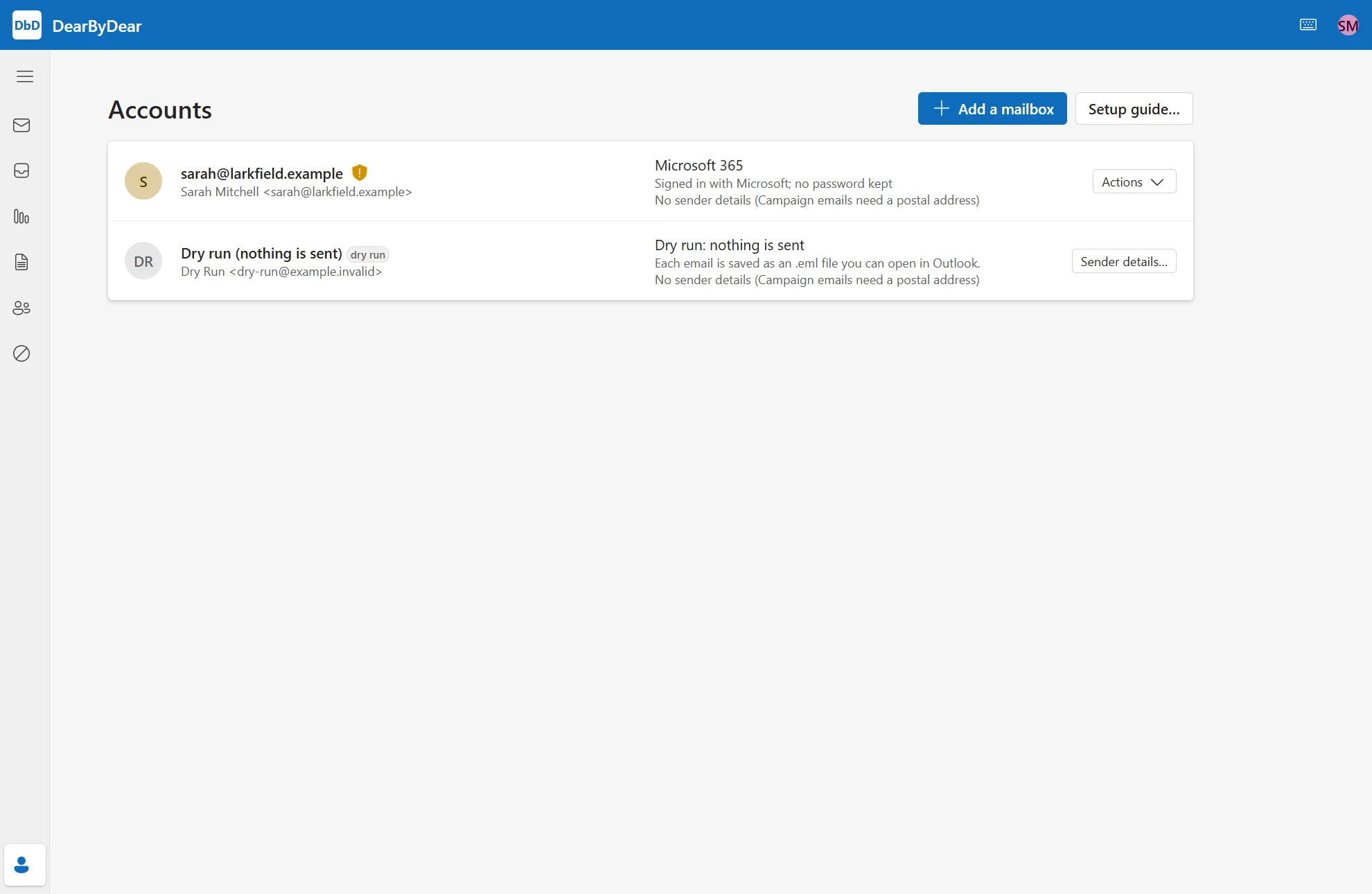
What you see
- Your mailbox
Each mailbox, with how it’s connected: “Microsoft 365 · Signed in with Microsoft; no password kept,” or the servers it sends and reads through.
- Actions
Test, to check it still signs in; Sign in again, or Change password; Sender details…, for a Campaign email’s footer; and Remove.
- The dry run
An account that sends nothing: each email is saved as an .eml file you can open in Outlook. For trying a merge first.
- Add a mailbox
Sign in with Microsoft, for Microsoft 365 and Outlook.com; Gmail, Yahoo, iCloud or another mailbox…; or, with DearByDear Pro, Send through an email service.
- Setup guide…
The guide a new installation opens with, again: a mailbox, a list, and anything from Easy Mail Merge.
What you can do here
How do I add my Microsoft 365 or Outlook.com mailbox?
Add a mailbox → Sign in with Microsoft, and finish in your browser. No password is kept: Microsoft gives DearByDear a sign-in token, stored in this computer’s credential store. From then on, merges go out from it as a mail merge in Outlook would, one email at a time.
Can I use Exchange on my company’s own server?
Yes, if the server has IMAP and SMTP turned on: add it with Gmail, Yahoo, iCloud or another mailbox…. Sign in with Microsoft reaches only Microsoft 365 and Outlook.com mailboxes.
How do I add Gmail?
Add a mailbox → Gmail, Yahoo, iCloud or another mailbox…, your address, and Gmail as the provider. Gmail needs an app password, not your Google password: the steps and Google’s links are right there, and on how to make a Gmail app password.
How do I send from a shared mailbox or another address?
Send from a shared mailbox or another address…, type the address, tick It’s a shared mailbox if it is one, then Sign in and add, with your own Microsoft account.
Where do my business name and postal address go?
Actions → Sender details…: Business name (optional) and Postal address, shown on one line in the footer of a Campaign email’s unsubscribe footer. Without an address, a Campaign merge is flagged before it goes.
What if a mailbox stops working?
Actions → Test checks that it still signs in. Then Sign in again for Microsoft, or Change password for the others. Remove deletes the account and its saved password from this computer; merges already sent from it keep their history.
Good to know
- A mailbox’s password, or its sign-in token, is kept in this computer’s credential store.
- With DearByDear Pro, Send through an email service adds your own account at Amazon SES, Postmark, SendGrid and others, with a mailbox of yours linked for replies and Sent copies.
- The Privacy panel is in Settings: encryption, backups and forgetting a person. Settings… is just below Accounts… in the menu under your picture in the title bar.