Do-Not-Disturb
The Do-Not-Disturb list holds the addresses every merge skips: people who unsubscribed, addresses that bounced, and any you add. Each one says why it’s there and since when.
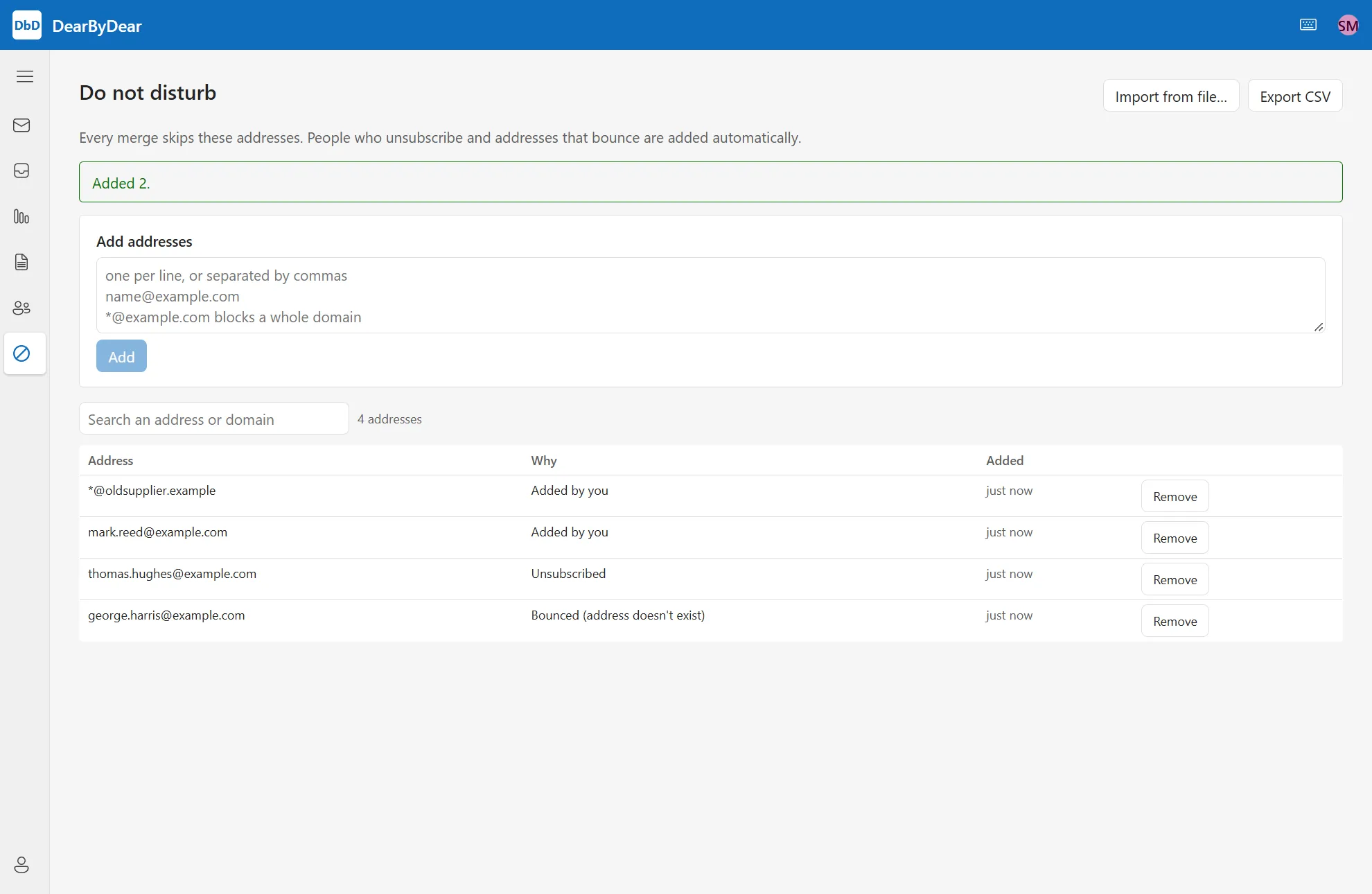
What you see
- Add addresses
One per line, or separated by commas. *@example.com blocks a whole domain.
- Import from file…
The addresses in an Excel or CSV file, such as a list kept by another program.
- Search
An address or a domain.
- Why
Added by you, Unsubscribed, Bounced (address doesn’t exist), or Bounced 3 times (temporary errors); or a complaint your email service reported.
- Remove
Takes an address off, after asking: merges will email it again.
- Export CSV
The whole list as a CSV file, with why and when each address was added.
What you can do here
How do I stop emailing someone for good?
Add their address here, or right-click them in a mailing list and choose Unsubscribe (Do-Not-Disturb). Every merge skips them from then on, Personal or Campaign.
How do I block a whole company?
Add *@theircompany.com: every address at that domain is skipped.
How do people get on the list by themselves?
By unsubscribing, through the unsubscribe link in a Campaign email; by a reply you agree asks to be removed, in the Responses window; or by an address that bounces.
How do I bring my list from Easy Mail Merge?
The setup guide offers it, with your templates; or use Import from file… with the list exported from it. More for those coming from Easy Mail Merge.
Can someone come off the list?
Remove, beside them. DearByDear asks first, and for someone who asked not to be emailed it says so: “Remove them from the list anyway? Merges will email them again.”
Good to know
- The check before every merge counts who is skipped for being on this list.
- Ctrl+6 opens Do not disturb.