Templates
Templates keeps every email you’ve written in DearByDear, each merge’s email included. Add one from the gallery of ready-made emails, from a draft in your mailbox, or from a file, and open any of them in the editor, shown with one of your lists, or start a new merge from one.
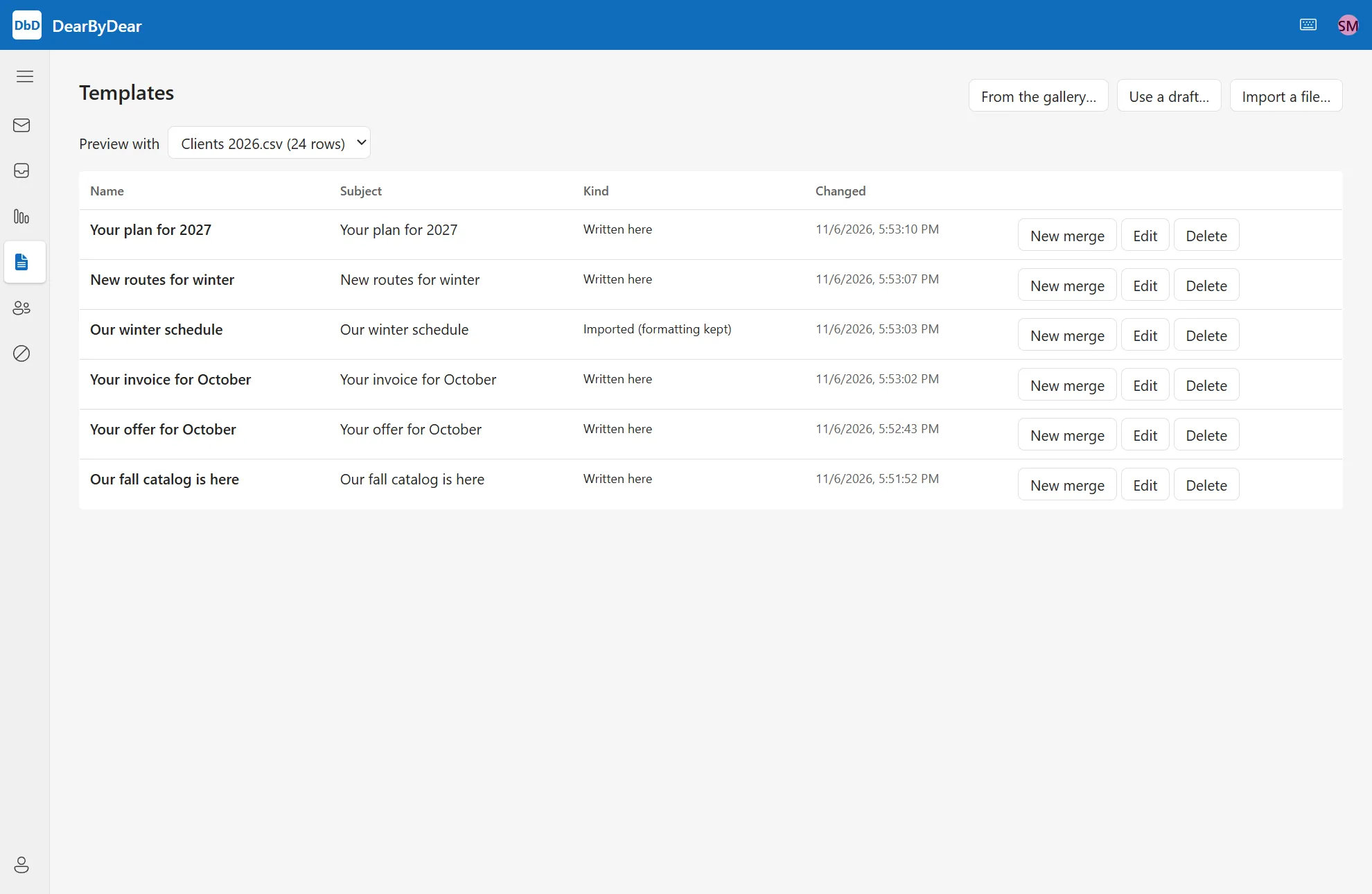
What you see
- From the gallery…
Ready-made emails grouped by goal, in eight languages. Use this template saves a copy as your own. Their pages are under email templates for a mail merge.
- Use a draft…
An email you wrote in your mail app and saved as a draft, from a connected mailbox’s Drafts folder. The draft stays where it is.
- Import a file…
An Outlook .msg or .oft, an .eml or an HTML file. Pictures and attachments come along; recipients don’t.
- Preview with
The list the editor shows each person’s email with, and how many rows it has.
- Your templates
Every email, with its subject, its kind (Written here, or Imported, formatting kept) and when it last changed. Beside each: New merge, Edit and Delete.
- Edit
Opens it in the email editor, with a Name row, and Done to come back.
What you can do here
How do I start a merge from a saved email?
New merge, beside it. It opens as a copy: “A copy of … from Templates: what you change here doesn’t change the saved one.” If you close the copy, or send it, without changing anything, it isn’t kept.
How do I delete a template?
Delete, beside it. DearByDear asks in the row first: “Delete it? Merges made from it keep their own copy.”
How do I rename a template?
Edit, then type over the Name row. It saves by itself.
Why can’t I open a template?
The editor needs a list to show each person’s email with: “Import a mailing list first (New merge → choose a file).” Once there is one, Preview with chooses it.
What’s the difference between Written here and Imported?
Written here is made in the email editor, every part of it editable. Imported, formatting kept, came from Outlook or a file, and shows exactly as it will look; Edit HTML changes it. More in mail merge with an Outlook template.
How does the gallery choose a language?
Emails in sets the language, one of eight: English, Romanian, German, French, Spanish, Italian, Chinese (Simplified) or Hindi. Each email’s fields are named as a list in that language usually names them, First Name in English.
Good to know
- A merge’s email is kept here too, named after its subject.
- A blank email closed without changes, or a gallery email left as it came, isn’t kept.
- Ctrl+4 opens Templates from anywhere.