Insights
Insights, Ctrl+3, counts what your merges brought back: how many people replied, against your own average and the period before, with bounces and unsubscribes beside it. Open one merge to see its replies day by day, what the follow-up added, and the people behind each number.
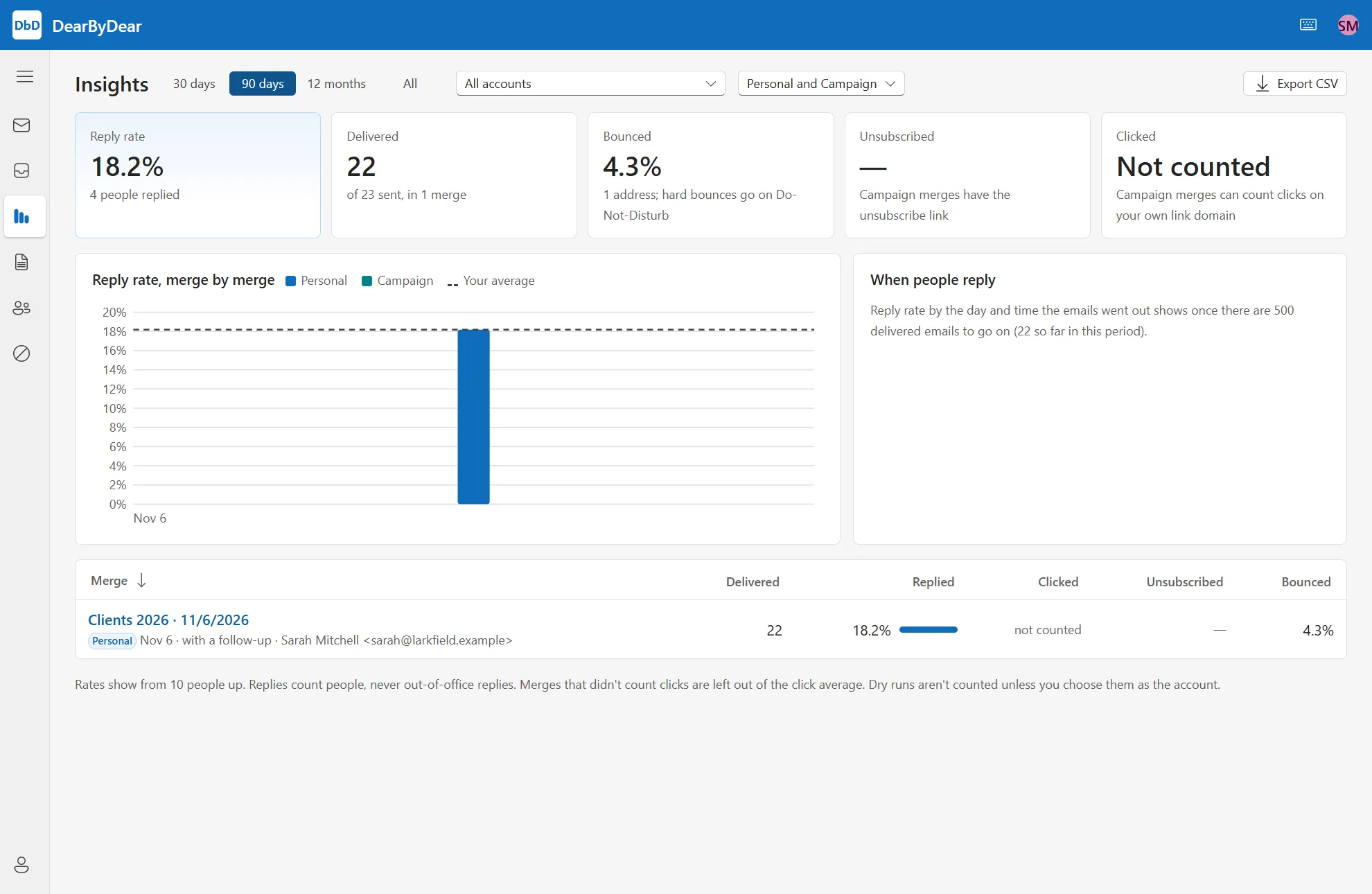
What you see
- Period
30 days, 90 days, 12 months or All, beside the account and the kind of email, Personal, Campaign or both.
- Reply rate
The share of people who replied, against the period before, beside Delivered, Bounced and Unsubscribed. A rate shows from 10 people up.
- Merge by merge
Each merge’s reply rate as a bar, against your own average. Merges to fewer than 10 people aren’t drawn; the table has them.
- When people reply
The reply rate by the day and time the emails went out, once there are 500 delivered emails to go on.
- Merges in this period
Every merge, sortable by any column. A merge’s name opens its own Insights.
What you can do here
Which merge worked best?
Sort the table by Replied, or read the bars of Reply rate, merge by merge, against your average.
What did the follow-up add?
Open the merge from the table. What the follow-up added counts the replies that came after it went, and Replies, day by day marks the day it did. More on automatic follow-up emails.
How do I see the people behind a number?
In a merge’s Insights, under The people, each button, such as Replied 3, opens the send log with just those people.
Do out-of-office replies count?
No. Replies count people, never out-of-office replies, which the Responses window keeps apart.
Are dry runs counted?
Not with real merges. To see them, choose “Dry run (test emails)” as the account.
Good to know
- A merge counts with its follow-ups and anything sent again from it, each person once, by their first email.
- One merge’s Insights can also split the reply rate by a column of your list, such as State, when a column repeats a few values.
- Ctrl+3 opens Insights; Export CSV saves the table.